Home About Us Services Portfolio Blog Contact Us Login / Register

VECTOR
ARTWORK

Convert any raster image — blurry JPG, low-res PNG, old scanned logo — into a clean, scalable vector file using Adobe Illustrator. Perfect for screen printing, vinyl cutting, laser engraving, and professional branding. Also the first step to convert a logo to an embroidery file.

✓ Any Raster Input ✓ 2–3 Hour Turnaround ✓ Unlimited Revisions ✓ Free Quote
Vector art services
Bold
Fabric Effect
2–3hr
Turnaround
100%
Satisfaction

Raster to Vector Conversion

Raster images (JPG, PNG, BMP) are made of pixels — they blur and pixelate when scaled up. Vector files are made of mathematical paths and curves that scale to any size without losing quality. A vector logo looks as sharp on a business card as it does on a billboard.

We manually trace your artwork in Adobe Illustrator using the pen tool — not auto-trace software. Every anchor point is placed deliberately to reproduce your design with clean, smooth curves and precise color separation. The result is professional-grade vector artwork ready for any application.

Whether you have a hand-drawn sketch, a blurry photo of an old logo, or a low-resolution file that needs cleaning up — we convert it into a production-ready vector file your print shop and embroidery team will thank you for.

✏️
Manual Pen Tool TracingWe never use auto-trace. Every path is hand-drawn in Adobe Illustrator for clean curves, sharp corners, and accurate reproduction of your original design.
🔍
Infinite ScalabilityVector files scale to any size without pixelation — from a 1cm label sticker to a 10-meter banner. One file works for everything.
🎨
Clean Color SeparationEvery color is on its own layer, named and organized — ready for screen printing, spot color production, or embroidery digitizing without extra prep work.
📁
All Output FormatsDelivered in AI, EPS, SVG, PDF, and PNG (high-res transparent). Every format your print shop, sign maker, or embroidery service could need.
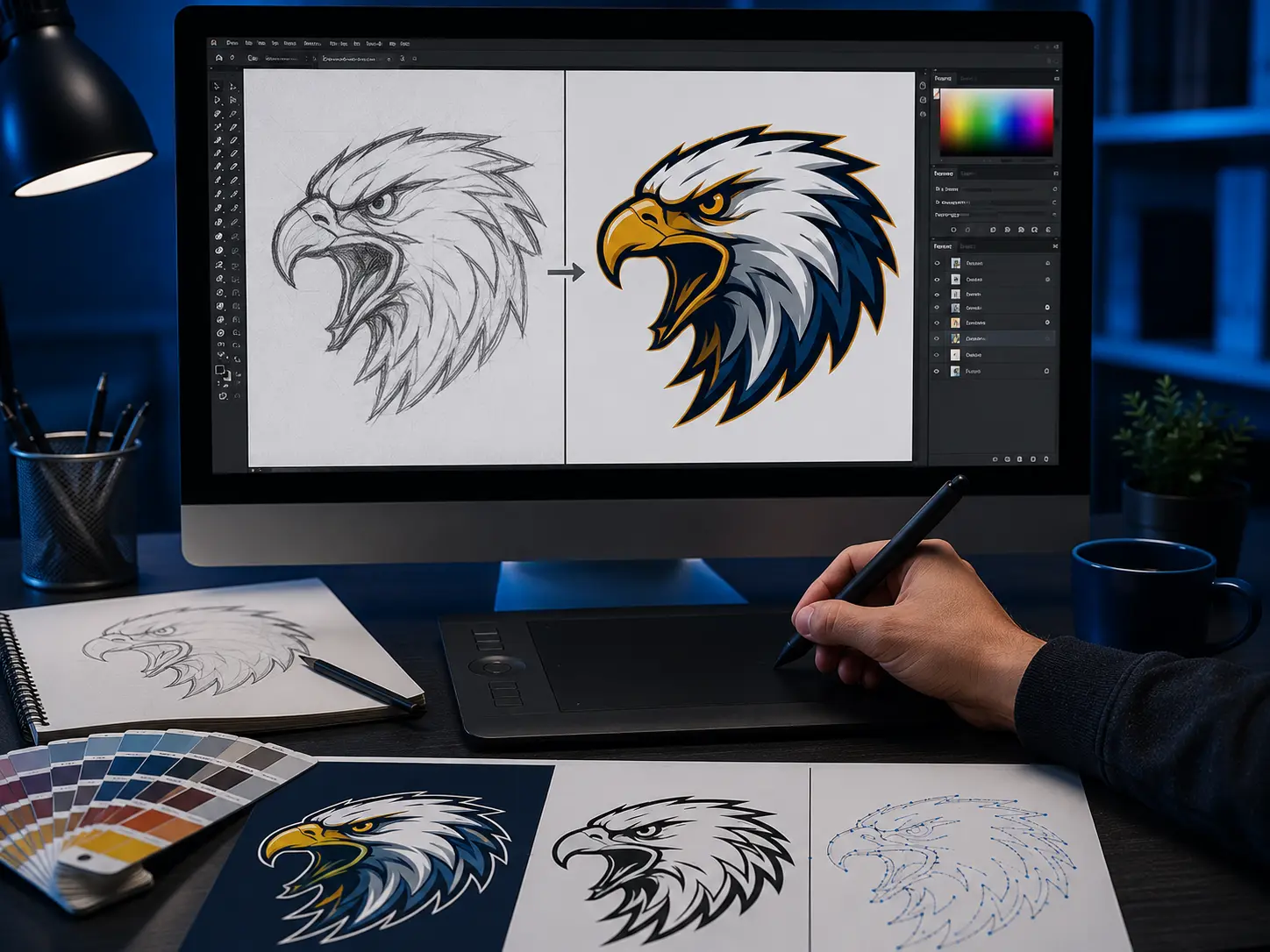
BEFORE — Raster

Blurry JPG · Pixelated · Low resolution

AFTER — Vector

Clean Vector · Scalable to any size · Print-ready

Our Vector Process

From your blurry raster file to a clean, production-ready vector in hours.

01

Send Your File

Share any image — JPG, PNG, PDF, even a photo of a hand-drawn sketch. Tell us what it's for: screen print, embroidery, vinyl cutting, or branding. Free quote fast.

02

Design Analysis

We review your artwork for complexity, color count, and any specific requirements — Pantone colors, special finishes, or formatting for a specific print process.

03

Manual Pen Tool Trace

Our Adobe Illustrator artist hand-traces every path, curve, and detail using the pen tool — building clean, organized vector artwork with properly separated colors.

04

Delivery & Revisions

All formats delivered in 2–3 hours — AI, EPS, SVG, PDF, and high-res PNG. Unlimited free revisions until the vector matches your vision perfectly.

What Vector Art Is Used For

👕

Screen Printing

Screen printing requires clean vector artwork with separated spot colors. We deliver print-ready files your screen printer can use directly — no extra prep needed.

✂️

Vinyl Cutting

Vinyl plotters cut along vector paths. Clean, closed paths are essential for accurate cutting — we ensure every shape is perfectly closed and optimized for cutting machines.

🔴

Laser Engraving

Laser engravers use vector outlines to guide the cutting path. We prepare clean, simplified vector files ready for laser cutting on wood, acrylic, metal, and leather.

🏷️

Logo & Branding

A proper vector logo is the foundation of professional branding. Use it across business cards, signage, websites, merchandise, and any media without quality loss.

🧵

Embroidery Prep

Clean vector files make embroidery digitizing significantly easier and more accurate. We vectorize logos specifically to optimize them for subsequent digitizing work.

🖨️

Large Format Print

Banners, signs, vehicle wraps, and trade show displays all require vector files. Scale your logo or design to any size without the pixelation that kills raster files.

File Specs & Formats

📁 Input Formats We Accept

Raster imagesJPG, PNG, BMP, TIFF, GIF
DocumentsPDF, PSD, CDR
Scanned filesAny resolution — we work with it
SketchesPhoto of hand-drawn artwork OK
Low-res logosEven 72dpi files accepted

📤 Output Formats Delivered

Adobe IllustratorAI (editable)
Encapsulated PostScriptEPS
Scalable Vector GraphicsSVG
Portable DocumentPDF
High-res transparentPNG (300dpi+)

🎨 What We Can Vectorize

Logos & wordmarksAny complexity
IllustrationsDetailed artwork welcome
Badges & crestsMulti-color, detailed
Text & letteringConverted to outlines
Photo-realistic artDiscussed case by case

⏱ Turnaround & Delivery

Standard turnaround2–3 hours
Rush ordersNo extra charge
Delivery methodEmail · WeTransfer
RevisionsUnlimited — free
Support24/7

Common Questions

Raster files (JPG, PNG) are made of pixels — they blur when you scale them up. Vector files (AI, EPS, SVG) are made of mathematical paths and curves — they stay perfectly sharp at any size. A vector logo looks just as crisp on a business card as on a 10-meter billboard.

Auto-trace produces messy, jagged paths with hundreds of unnecessary anchor points. The result looks unprofessional and causes problems in production. Manual pen tool tracing produces clean, smooth paths with the minimum points needed — resulting in better output for printing, cutting, and digitizing.

Yes — we vectorize from any resolution, even small, blurry, or pixelated images. The lower the quality, the more interpretation is involved, but we'll always confirm with you if there are details we can't clearly make out. Even a 72dpi JPG or a photo taken on a phone can usually be vectorized successfully.

Yes — we deliver the native AI (Adobe Illustrator) file with all elements on properly named layers. If you have Adobe Illustrator or compatible software (Affinity Designer, CorelDRAW, Inkscape), you can edit colors, move elements, and modify the artwork freely.

Yes — provide your Pantone, CMYK, RGB, or HEX color codes and we'll apply them precisely in the vector file. If you're preparing for screen printing, we can set up the file with specific Pantone spot colors on separate swatches ready for your printer.

Pricing depends on design complexity and color count. Simple logos cost less than detailed multi-color illustrations. Send us your file for a free quote — we respond within the hour. Rush orders are always free. No hidden fees.

Ready To Vectorize Your Logo?

Send us your file — any format, any resolution. Free quote within the hour. Clean vector delivered in 2–3 hours.

⚡ Get Free Quote